Publish what Claude Code built for you.
Claude Code is very good at writing a website into a folder. Getting that folder onto the internet is a different job, and it is the one this app does.
The folder is all it needs
Claude Code writes ordinary files into an ordinary folder. Point the app at that folder and it reads what is there: a static page, or a project with a build script it knows how to run. There is nothing to configure in the project and nothing to add to it.
It also notices that Claude Code has been working there, and says so on the project.
Start Claude in the right folder
One button opens a terminal in the project folder with Claude Code already running. It is a small thing, and it removes the most common way to waste ten minutes: asking an AI to change a site while it is sitting in the wrong directory.
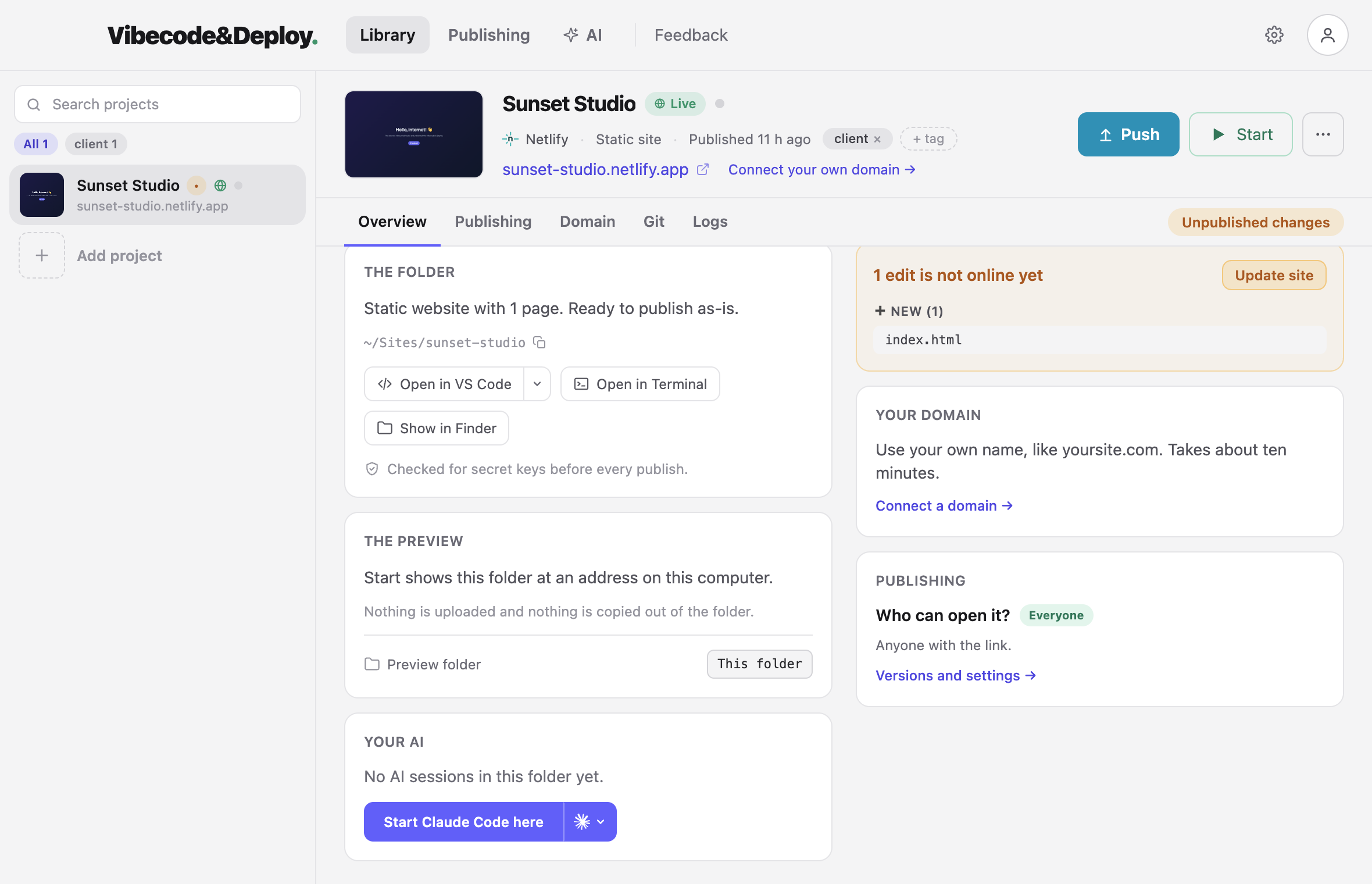
It can see when Claude is working
While a session is running, the project says so, and you can read along: what Claude is doing, file by file, read-only, in the app. When it stops, the app already knows the folder has changed and shows you what is not live yet.
Let Claude publish it: the /deploy command
The app writes a /deploy slash command into the project. Type it in Claude
Code and the app publishes the site — the same publish the button does, with the same
checks.
Claude never sees your hosting account. The command asks the app, on your own computer, to do the publishing; the credentials stay where they were.
What is checked before Claude's work goes public
An AI writing code will sometimes write an API key straight into a file. Every publish is scanned first — source files and built output — and a key stops the upload before anything is on the internet.
When that happens the app names the file and the line, and gives you a prompt to paste back into Claude Code that explains what to move and where.
Cursor, Codex and the rest work the same way. The app cares about the folder, not about which tool wrote it. Codex gets the same "start it here" button, Cursor gets a way back into the editor, and anything that writes files into a project folder can be published from the app.
Claude Code can run your site, not only publish it
Press Connect beside Claude Code on the app's AI page and it gets a set of tools through MCP: what the project is and whether its local site is running, start and stop, WP-CLI, the site's logs with the file and line of a PHP error, the database, and a sign-in to the WordPress dashboard. From its own chat, in any folder inside the project. Nothing it can do deletes anything — removing a project, a database or an image stays in the app. What that looks like →
Step by step
- Build the site with Claude Code, as you already do.
- Open the app and add that folder.
- Press Start to see it on your own computer first.
- Connect Netlify or Vercel — your own account — and press Publish.
- Send the address to whoever asked for the site.
-
When they want a change: describe it to Claude Code in the same folder, then press
Publish again or type
/deploy. The address does not change.
Read next
Claude wrote it. Now publish it.
Free while in beta. Mac now, Windows on request.