From a folder on your computer to an address on the internet.
No git, no terminal, no hosting dashboard. Four steps, and the fourth is the one you will do a hundred times.
1. Add the folder
Whatever your AI built, it built it in a folder. Point the app at that folder and it reads it: whether it is plain HTML, a project that has to be built, or WordPress. It also notices which coding tool has been working there.
Nothing is copied and nothing is moved. Your files stay where they are, and they stay ordinary files — you can keep editing them with anything.
2. Look at it first
Press Start. The site opens at an address on your own computer, and only your computer can open it. This is where you find the heading you forgot to change.
Nothing has been uploaded at this point, and you have not connected anything. A project can live here for as long as you like.
3. Publish
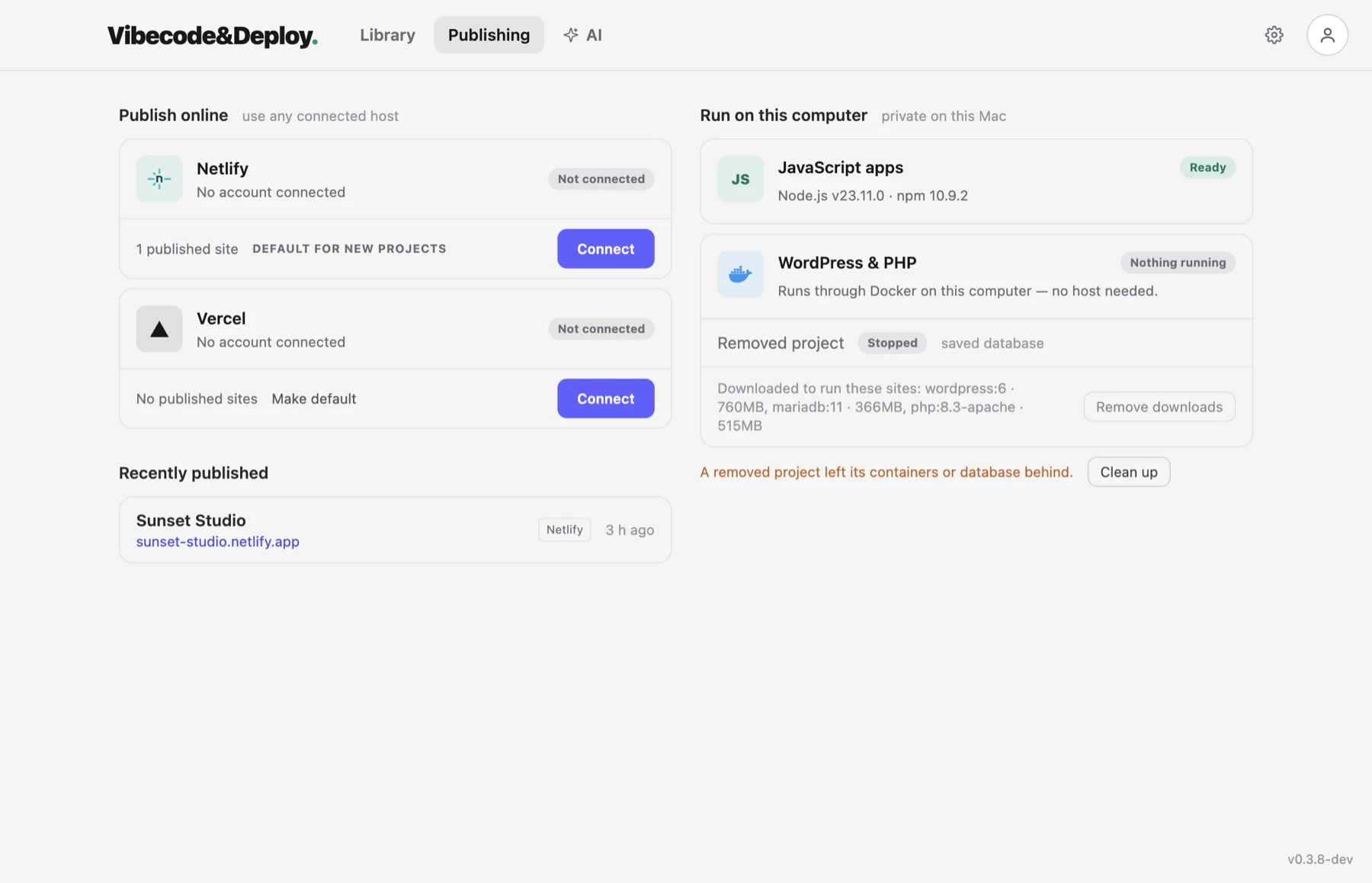
Choose where it goes — Netlify or Vercel — and connect your own account. Netlify takes one press and an Authorize in your browser. Then press Publish, and about half a minute later you have a real address you can send to somebody.
What happens in that half minute
- It works out what the folder is. A static site, or a project with a build script and a framework it recognises.
- It looks for secrets. API keys, tokens, private keys and database passwords, over exactly the files that are about to be uploaded. Anything found stops the publish before it starts.
- It builds, if there is a build. Install and build, with the same tools you would use in a terminal, and then the output is scanned too — bundlers happily copy a key from a config file into the JavaScript they write.
- It uploads what changed. Only the files that are different, which is why the second publish is faster than the first.
- It remembers. Which site this folder belongs to, and what its files looked like, so the next update goes to the same address and can tell you what has changed since.
4. Change it and publish again
This is the part that matters, and it is the reason the app exists. A site is never finished. Somebody asks for a change, you open the folder in Claude Code, Cursor or Codex and describe it, and the files change.
Back in the app there is a badge saying something is not live yet, and a list of what. Press Publish. Same address, new content, and the version that was live a minute ago is still there if the new one turns out worse.
You can also stay in the chat: the app writes a /deploy command into the
project, so your AI can publish for you when you tell it to.
What you never have to do
- Git. No repository, no commits, no branches. Use them if your project needs them; publishing does not.
- A terminal. The build runs, and you watch it in a window instead of typing it.
- A hosting dashboard. Sites, versions, domains and forms are in the app.
- Drag and drop. The kind that makes a new site every time and loses the address you already shared.
What it can publish today
Static sites, and frontend projects that build to static files — Vite, Astro, Eleventy, Create React App, Gatsby, and anything else with a build script. Next.js is not published yet. WordPress and PHP run on your computer through Docker and are not put on Netlify or Vercel, because neither of those runs PHP.
Read next
Have a site sitting in a folder? Set it free.
Download the app and put it on the internet today.