How to publish a vibe-coded website, without git or a terminal.
You described the site and your AI built it. It works on your computer. The road from that folder to an address you can send somebody is shorter than every tutorial makes it look.
What vibe coding leaves you with
A folder. Claude Code, Cursor, Codex or whichever tool you used has written the files in it, and when you open them in a browser the site is there. What it has not done is put the site on the internet, because that part is not code — it is accounts, uploads, addresses, and a dozen small decisions a developer makes without noticing.
The four ways people are told to do it
- Push to GitHub and connect a host. Works, once you know what a repository, a commit, a branch and a build setting are. That is a weekend.
- A command-line tool.
npx netlify deployorvercel, after a login flow in the terminal and a few questions you have to answer right. - Drag the folder into a box on the host's site. The quickest the first time — and the second time you often get a new site at a new address, with the old link now pointing at the old version.
- Ask the AI to deploy it. It can, if you give it your hosting credentials, which is the one thing nobody should hand to a tool that writes files.
The short road
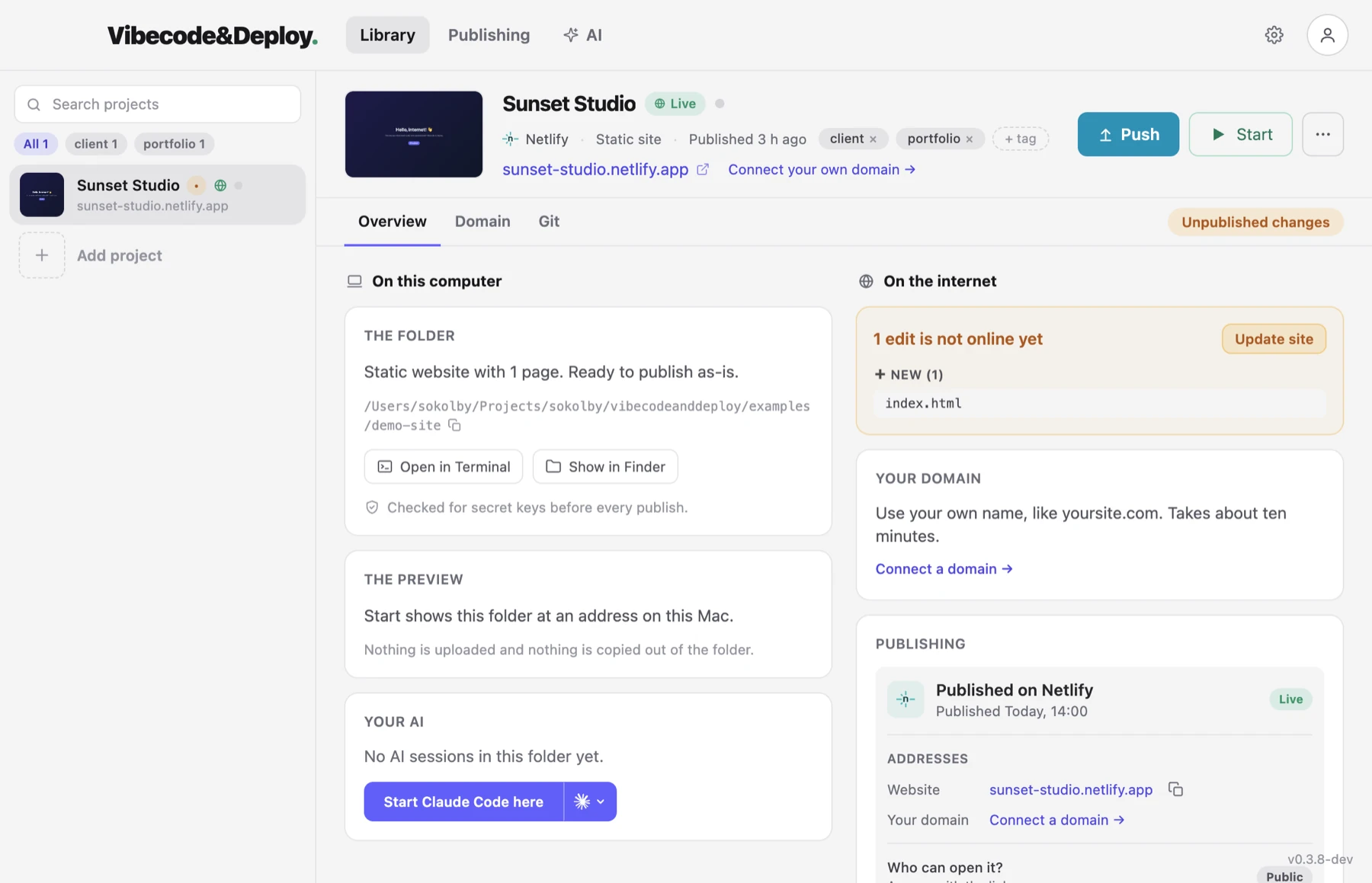
- Add the folder to the app. It recognises what the AI built — a folder of HTML, a Vite or Astro project, a Next.js app — and which tool built it.
- Press Start to see it. The site opens on your computer, at a name like
my-shop.testwith https if you want one. Nothing is uploaded yet. - Connect your own Netlify or Vercel account. One Authorize in the browser. The credential stays in the app, never in your project, never with the AI.
- Press Publish. The files are checked for leaked API keys first — AI tools write them into source files more often than you would think — and if one is found the upload stops and the app tells you the file and the line. Otherwise you get a real address.
- Edit with your AI, press Publish again. Same site, same address, only the changed files go up. A badge in the app says what is not live yet, so you never wonder whether that edit went out.
What about the AI itself?
It can press the button for you. The app writes a /deploy command into
the project for Claude Code, and connects Claude Code, Codex or Cursor to it with one
press, so "publish this" in the chat publishes it — through the app, with the
credentials still in the app. The AI never sees them, and it can never skip the key
check. What that looks like with Claude Code →
What it can and cannot publish
Static sites and frontend projects that build to static files: a folder of HTML, Vite, Astro, Eleventy, Create React App, Gatsby, and anything else with a build script. Next.js is not published yet — the app says so rather than failing halfway — but it runs on your computer through its own dev script. WordPress and PHP cannot go to these hosts at all, because the hosts do not run PHP; they run on your computer instead, with your AI able to work on them there.
Your own name on it
A .netlify.app or .vercel.app address is fine for showing a
friend. For a business, the app walks you through
connecting a domain you own: it finds out who runs your
DNS, shows the exact records to add, and keeps checking until they have spread.
Free, for Mac and Windows. The app is free while it is in beta. The hosting is your own account on Netlify or Vercel, which both have a free tier that covers a small site for ever.
Read next
Have a site sitting in a folder? Set it free.
Download the app and put it on the internet today.