Your AI can now run your WordPress site.
0.4.4: a WordPress backup runs on your computer, local sites get a name with https, and your AI can start, stop and debug the site from its own chat.
Until now the app did one thing with a WordPress site: recognise it, and say honestly that it could not publish it. Netlify and Vercel do not run PHP, and pretending otherwise would have failed somebody halfway through. Version 0.4.4 gives that honesty a second half. A WordPress site cannot go to those hosts, but it can run right here, on your computer, the way it runs on the host it came from. And the AI you write it with can drive it.
A backup becomes a running site
Download a backup from your hosting company — WP Engine, Pressidium, most managed hosts give you one as a folder of files plus a .sql file — put the folder in the app, and press Start. The site comes up in Docker: WordPress on the PHP version you pick, the database on MariaDB or MySQL, the backup imported into it. Nothing in your folder is rewritten. The app's own copy of wp-config.php shadows the backup's inside the container, so the site talks to the local database and keeps every other setting it had.
A big site takes a while the first time: the database import is the slow part, and the Start button says how far it has got. After that, Start takes seconds, because the database stays.
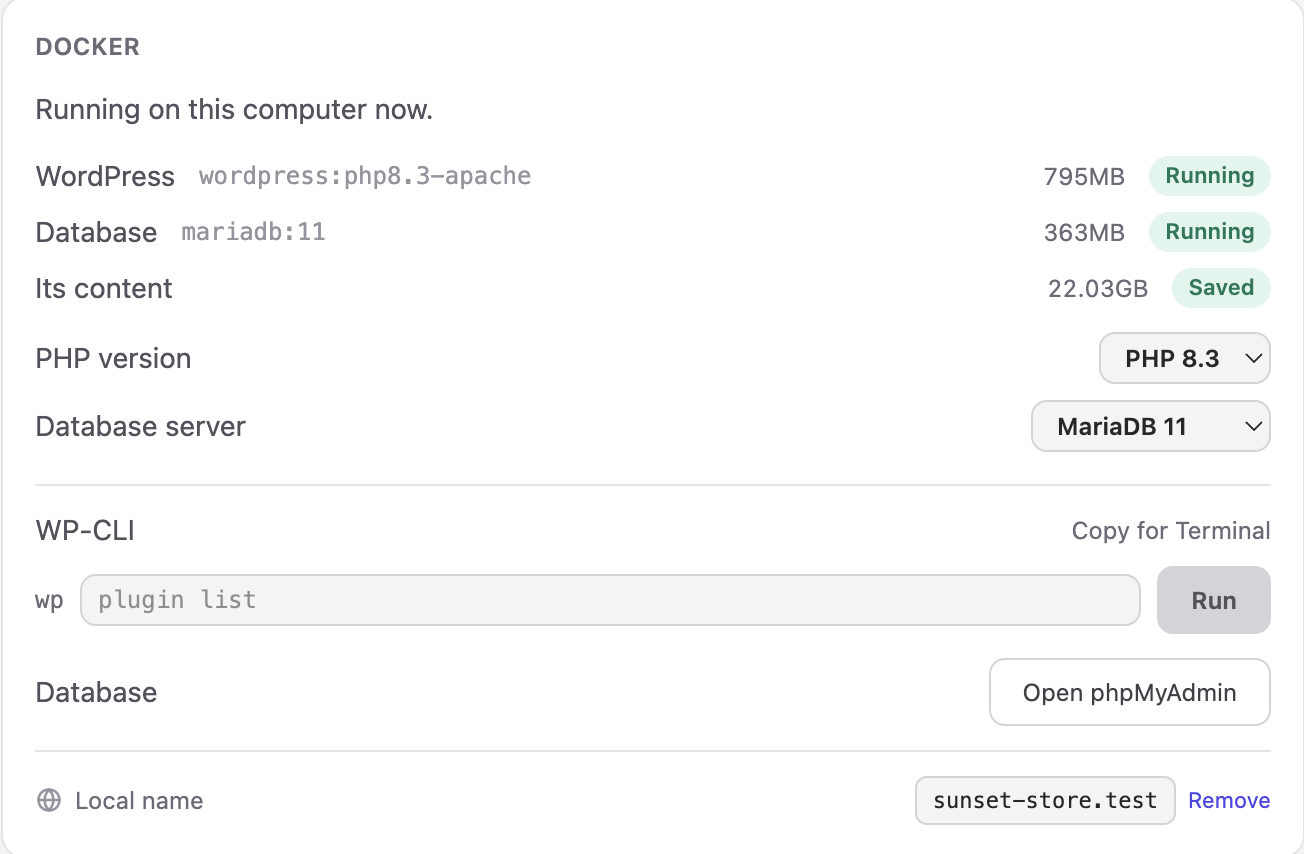
Two tools sit on that page for anyone who knows them. WP-CLI runs one command at a time against the running site, with what it printed underneath. phpMyAdmin opens the database in the browser, already signed in. Neither is required; both are there.
A name instead of a port, with a padlock
A site running on your computer used to be http://127.0.0.1:52341, and a different number every time. Now you can give it a name: my-shop.test, or whatever you type. The app writes one line into your computer's hosts file, which is why it asks for your password once, and from then on the name opens the site.
It opens with https:// and a real padlock. The app is its own certificate authority — the way the mkcert tool works, built in — and your computer trusts it after that same permission. Only this computer does, which is the point: the padlock is for the site to behave the way it will behave on the internet, where more and more of the browser only works on a secure page.

This works for every kind of project the app runs, not only WordPress. A Vite app, a folder of HTML, a Next.js project on its own dev script: each can have a name.
Your AI, inside the app
This is the part we are most pleased with. The app has had a small MCP server for a while — the thing that lets Claude Code publish for you with /deploy. In 0.4.4 it learned the local site, and the AI page learned to connect your tool to it with one press.
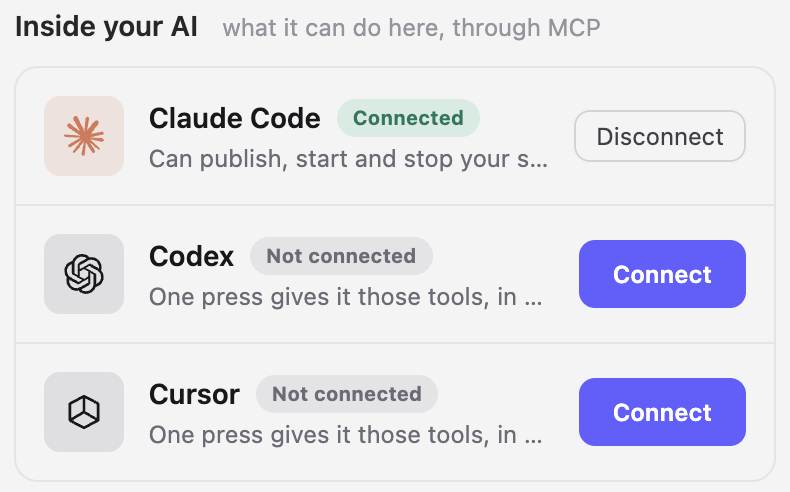
Once connected, Claude Code, Codex or Cursor can, from its own chat:
- see what the project is, whether its site is running, the address, the database details and the table prefix;
- start, stop and restart the site, and wait until it is ready;
- run WP-CLI, read the site's logs with the file and line of a PHP error, set
WP_DEBUGand friends for the local run; - query the database directly when WordPress will not even load;
- sign in as an administrator to check the dashboard.
Nothing it can do deletes anything. Removing a project, its database or its images stays in the app, behind the questions the app asks.
What this changes in practice: you say "the checkout page is broken", and the AI starts the site, reads the fatal error out of the log, fixes the plugin, restarts, and checks the page — without you copying anything out of a browser. The app window follows along: when the AI stops the site, the window says it stopped.
Also in this version
Auto Scan finds the sites already running on this computer — the dev server you started in a terminal last week — and offers to add them, so the app can give them a name too.
The full list is on the changelog. The app updates itself; if yours has not asked for a restart yet, it will within a few hours.
Read next
Have a site sitting in a folder? Set it free.
Download the app and put it on the internet today.