Everything the app does, in one list.
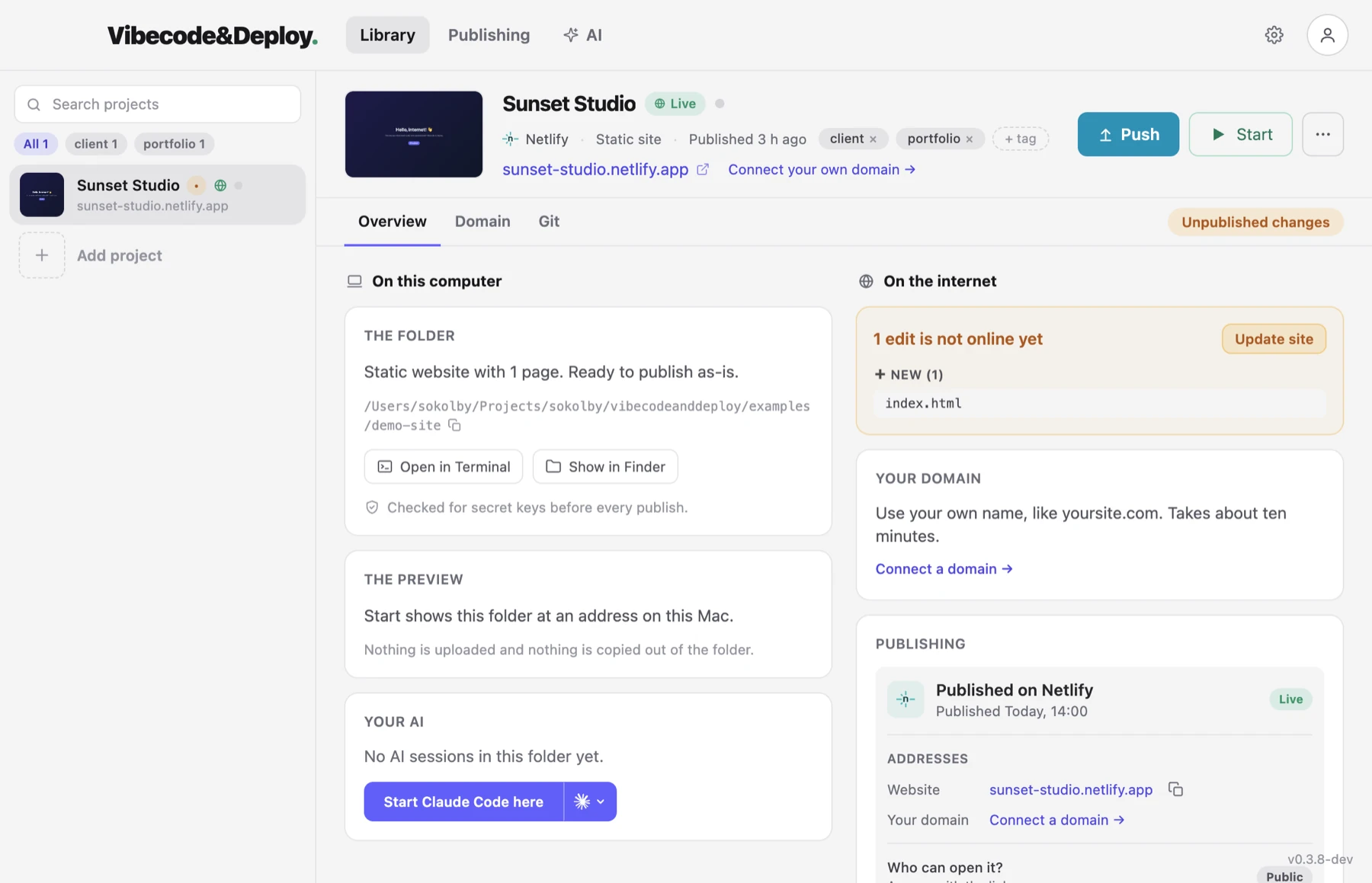
One desktop app between the folder your AI wrote and a real address on the internet. This is what is in it today, in the order you meet it.
Publishing
Point the app at a folder and press Publish. It goes to your own Netlify account or your own Vercel account — you choose the host once, per project, and every update after that goes to the same site at the same address.
- Your hosting account, your site, your bill. The app is not in the middle of it.
- Only the files that changed are uploaded, so an update takes seconds.
- Hosting credentials stay on your computer, in the app's own protected storage.
Projects that need a build step
A folder of HTML is published as it is. A project that has to be built is built first: the app installs what it needs and runs the build with the same tools you would use in a terminal, then publishes the output.
- Vite, Astro, Eleventy, Create React App and Gatsby are known by name.
- Anything else with a build script is built too.
- Next.js cannot be published yet, and the app says so instead of failing halfway. It still runs on your computer through its own dev script.
See it before anyone else does
Press Start and the site opens at a local address on your own machine. Nothing is uploaded and no account is needed — "just on this computer" is a first-class answer here, not a step on the way to something else.
-
Give it a name.
my-shop.testinstead of127.0.0.1and a port, with a real padlock: the app is its own certificate authority, and your computer trusts it after one permission. - Auto Scan finds the sites already running on this computer — the dev server you started in a terminal — and offers to add them.
The check that runs before every publish
AI coding tools write API keys into source files. It is one of the most common ways a hobby project leaks something expensive. So every publish is scanned first — the source and the built output, which is exactly the set of files that would go up.
If a key, token, private key or database password is found, the upload stops before anything is public. The app names the file and the line, and hands you a prompt you can paste straight into your AI to get it fixed.
What has changed since the last publish
The app remembers the files it published and compares them with the folder as it is now. A badge tells you there is something unpublished, and the list tells you what. You never have to remember whether that edit went out.
Versions, and going back
Every publish is kept. If the new one is worse, make an older one live again — the address does not change and nothing has to be rebuilt.
Draft links
Publish the folder as it is to a separate link without touching the live site. Send it to whoever asked for the change, and put it live when they are happy.
Your own domain
The app works out who runs your domain's DNS, opens that company's own page, shows the exact records to add and keeps checking until they spread. On Vercel you can also buy a name without leaving the app. How domains work here →
Forms
A contact form on a Netlify site collects answers. The app turns the feature on for the project and reads the verified responses, so you do not have to open a dashboard to see who wrote to you.
Sites you already have
A folder can be connected to a site that is already hosted, instead of making a new one. The app takes over updating it from there.
Folders that came from GitHub
If the folder is a clone and the host already builds that repository, publishing is a push: the app sends the commit and the host does the rest. The Git tab shows what has not been sent yet, and the same key check runs before anything leaves your computer.
WordPress and PHP
A backup downloaded from a WordPress host is recognised and runs on your computer through Docker, database and all, on the PHP and database version you pick to match the host. Nothing in the folder is rewritten. WP-CLI and phpMyAdmin sit on the project page for anyone who knows them. It is not published to Netlify or Vercel, because neither of them runs PHP — and the app says that plainly rather than failing later. How WordPress works here →
Working with your AI
The app knows which tool built the project. It can open a terminal in the right folder
with Claude Code or Codex already running, and it writes a
/deploy command into the project so your AI can
publish for you without ever touching your hosting account.
It goes the other way too. Connect Claude Code, Codex or Cursor on the AI page — one press, no config file — and your AI can start, stop and inspect the local site, run WP-CLI, read the logs and query the database from its own chat. Nothing it can do deletes anything.
There is also an AI inside the app. Ask for a change in your own words — "make the heading bigger and the button green" — and it reads the files in that folder and edits them. Nothing to install; it needs an account and nothing else.
When something goes wrong
Every project keeps its last twenty publishes and failed runs, and a failed one opens into what it actually said — days later, long after the message on screen has gone. There is a log for the project too, and a button that hands it to the AI and asks what it means.
It keeps itself up to date
The app checks for a new version quietly in the background, downloads it, and asks for one restart when it is ready.
Free while it is in beta. Macs with Apple silicon or Intel have their own download; the Windows build is finished and in testing, and we send it to whoever asks on the download page.
Read next
Have a site sitting in a folder? Set it free.
Download the app and put it on the internet today.